Product tour

See how FireDoor Suite fits around your fire door work.

Built for fire door contractors, FM teams, and housing providers.

  • Cut 30–40% of post‑inspection admin.
  • Keep audit‑ready door histories and documents in one workspace.
  • Close gaps between site work, office follow‑up, and client reports.
  • Install on desktop + mobile for an app-like feel and smoother on‑site use.

7‑day trial · No card · UK/EU hosting · Cancel anytime.

FireDoor Suite overview

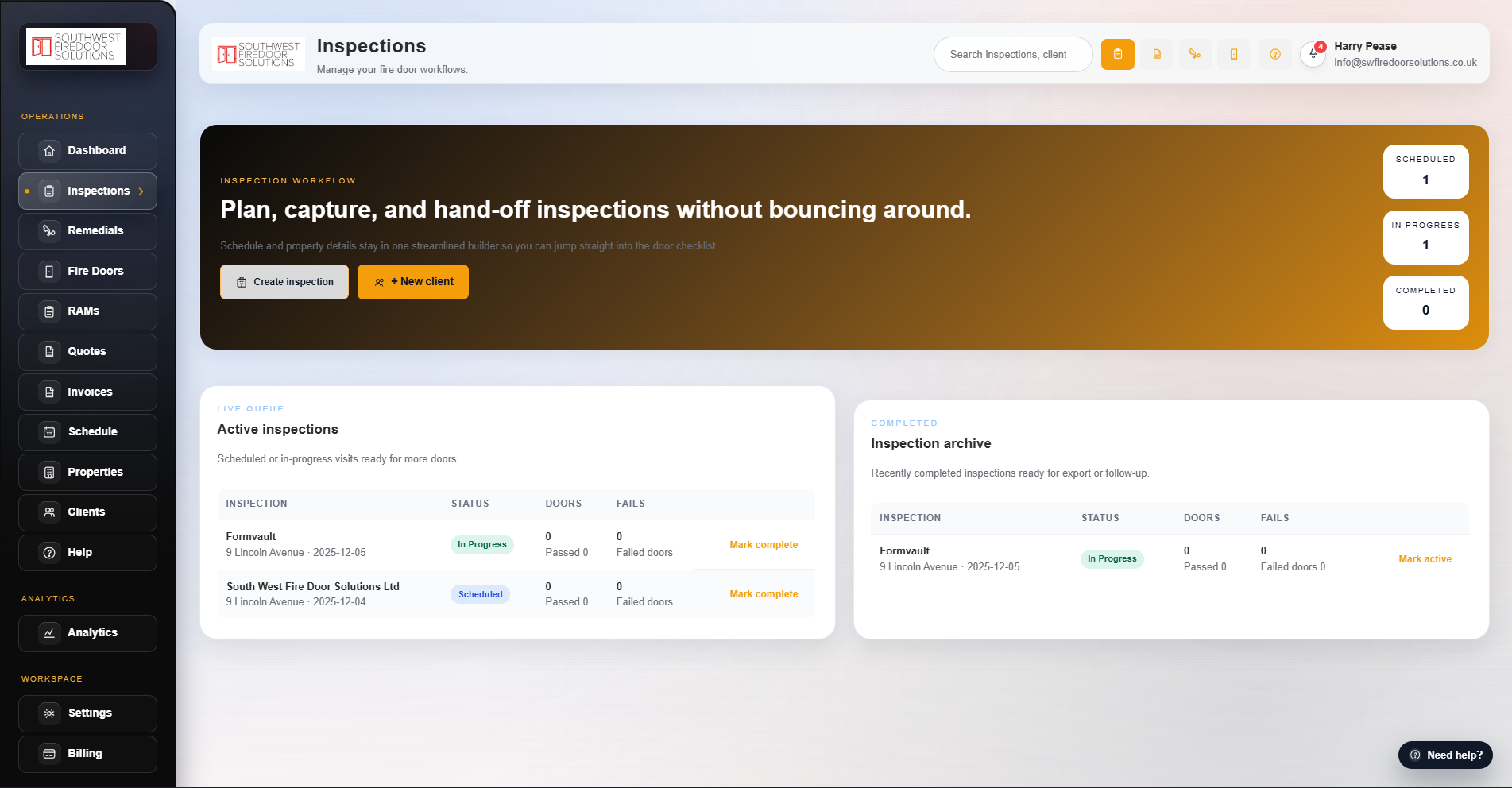
FireDoor Suite inspection board with visits and door status. Click to enlarge

Built for UK/EU fire door data with:

UK/EU hosting Regular backups Role‑based, tenant‑aware access.

Everything that lives in your workspace

Explore the main areas of FireDoor Suite in more detail before you dive into each module below.

Inspections & door register

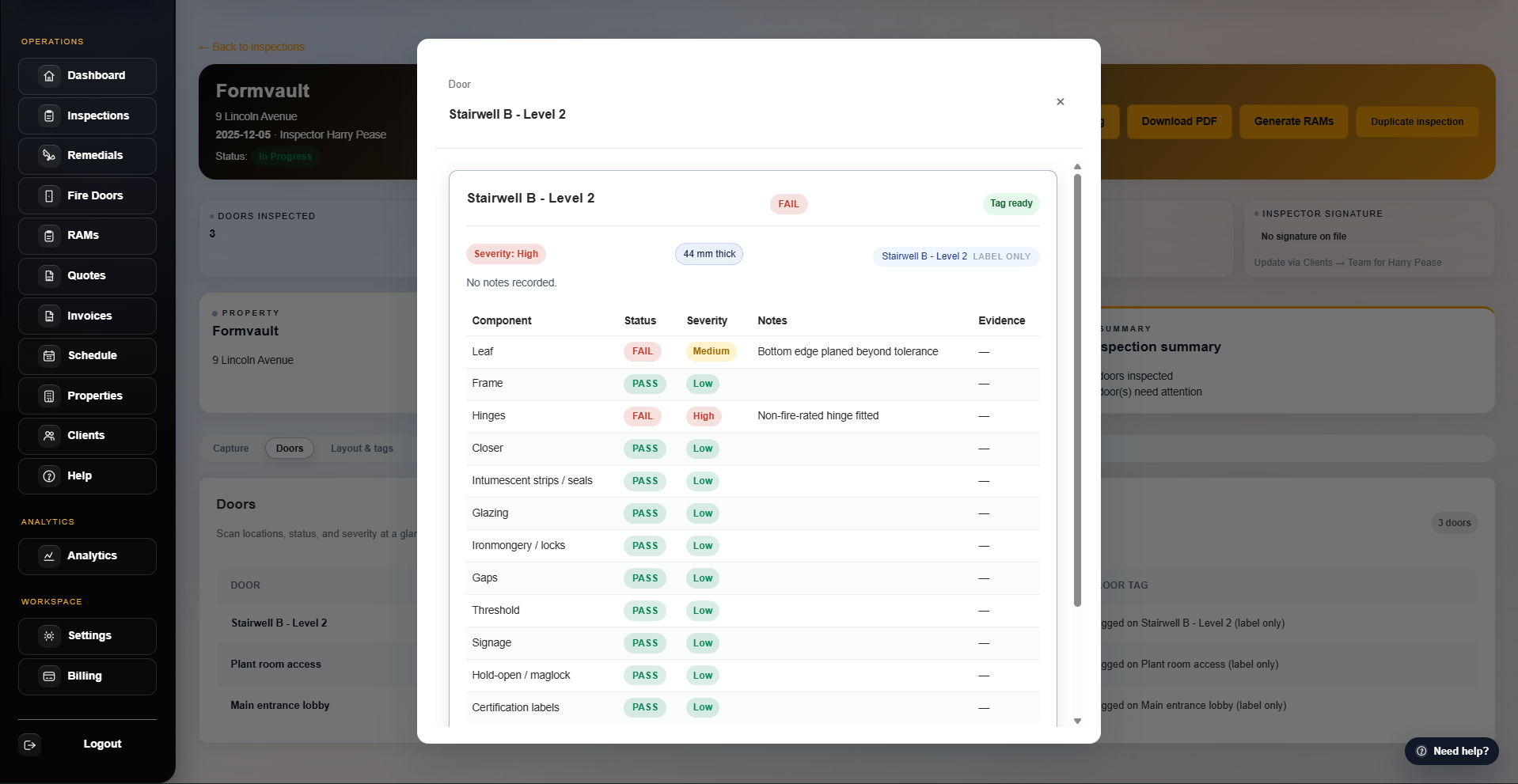
  • Use guided inspections with presets for checklists, fail reasons, and floorplan pins so teams follow a consistent pattern on every job.
  • Build up a door register as you inspect, with each opening carrying its own history of issues, photos, remedials, and installs.
  • Handle patchy connectivity with offline‑friendly drafts that sync back into the workspace when inspectors are online again.
In your trial

Pick one real building, add 10–20 doors, and see how quickly the register fills out with structured data instead of scattered notes.

On‑site inspections built for real buildings

Move through properties, floors, and doors with floorplans, QR labels, and offline‑friendly forms so nothing is missed when you sync.

  • Start new projects through a guided inspection wizard with ready‑made presets for door checklists and fail reasons.
  • Use floorplans, pins, and QR/NFC tags (bulk label PDFs + optional PIN access) so future visits open the correct door record instantly with a scan audit trail.
  • Capture photos, notes, and fail reasons on tablets or laptops, even with patchy connectivity; sync when you are back online.

See how inspections flow through a full workflow →
Why it matters: you keep a door‑by‑door evidence trail for audits instead of hunting through scattered notes and photos.

Module · Inspections

Property → Floor → Door → Findings

FireDoor Suite inspection board showing doors, issues and remedials for a building. Click to enlarge
Setup wizard Floorplans & pins QR labels Offline drafts

Findings flow directly into quotes, remedials, and PDFs.

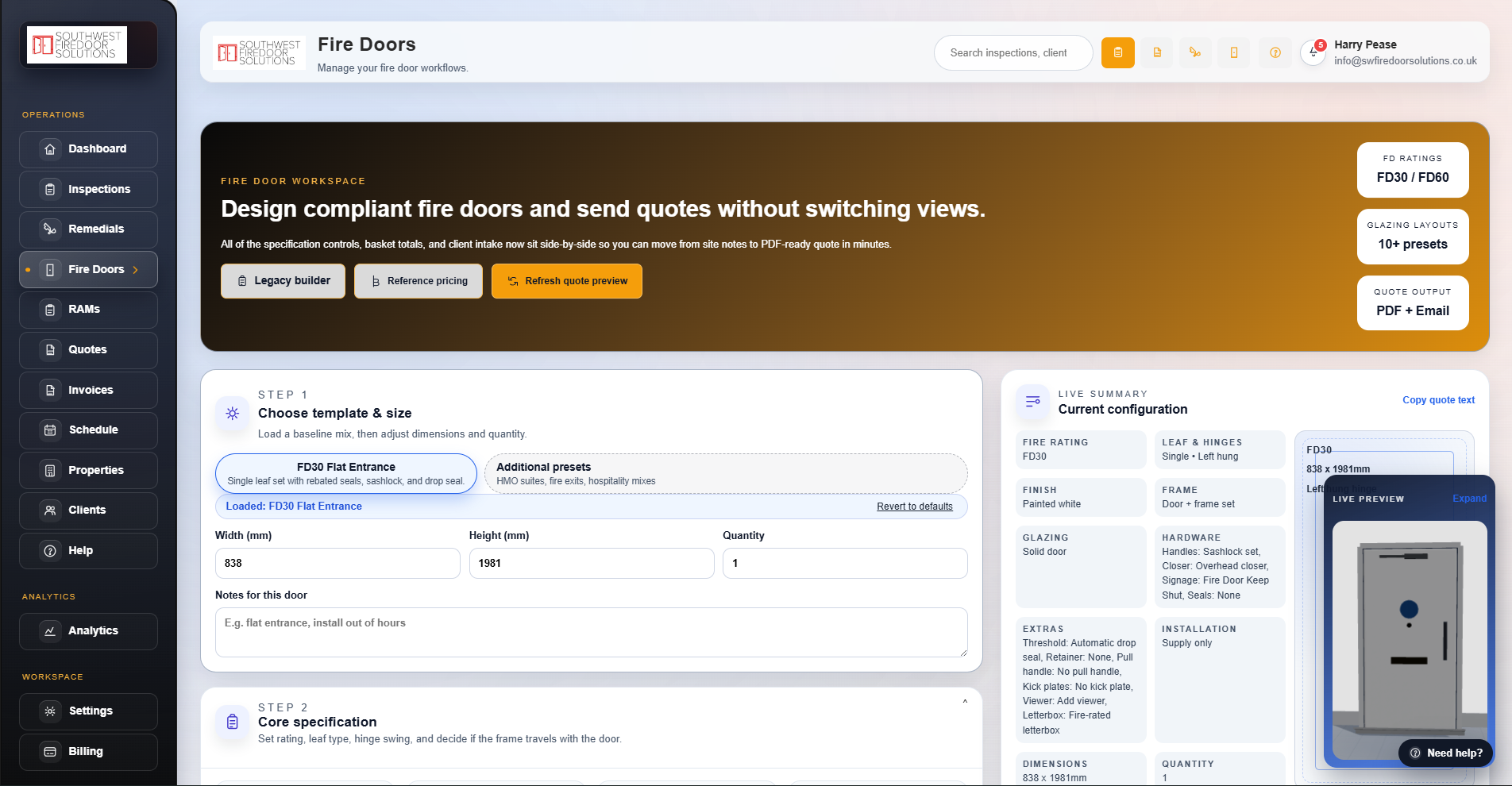
Interactive 3D fire door builder and quote hub

Configure fire doors visually in 3D, price them with workspace presets, and keep Fire Door quotes — with their attached builder views — alongside inspection and remedial quotes.

  • Use presets for FD30 / FD60, glazing layouts, hardware packs, and installation options, then tweak per project.
  • Show teams and clients a live 3D preview as you change dimensions and options so the spec is clear before install.
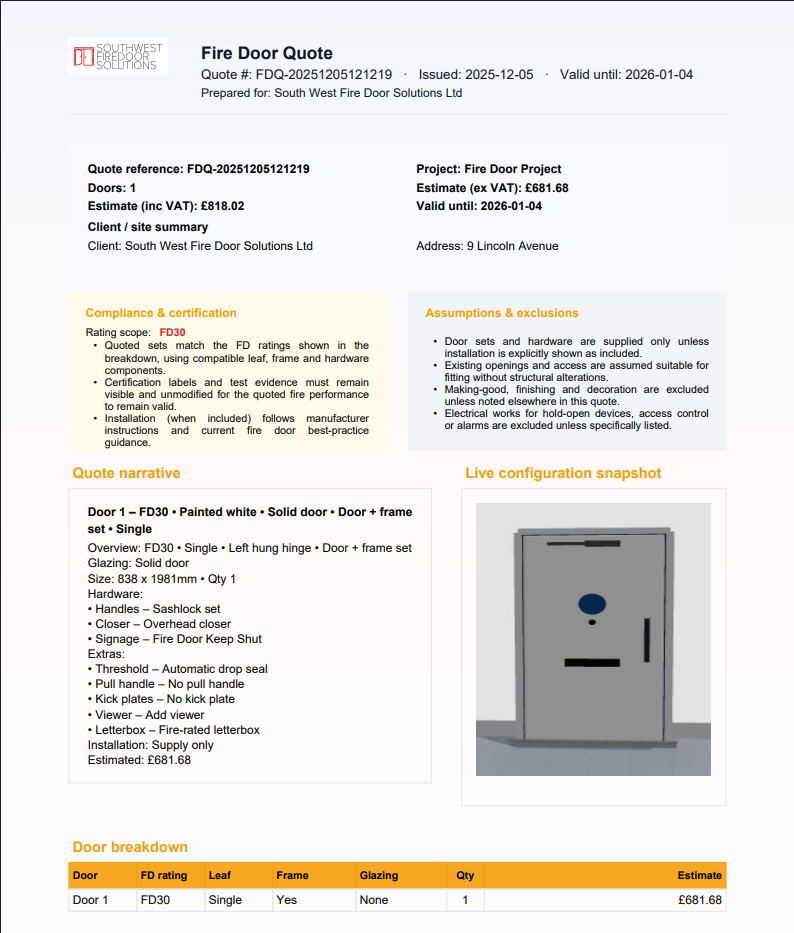
  • Send finished specs into Fire Door quotes with the 3D builder view attached, so every quote looks consistent and professional.

See how quotes sit in the wider workflow →
Why it matters: specs, quotes, and installed doors all match when clients or auditors check back.

Module · Fire door builder

Preset → Adjust spec → Quote

FireDoor Suite fire door builder and quote screen showing door spec and pricing. Click to enlarge
FD30 / FD60 Glazing & hardware Install vs supply PDF quote output

One spec powers the visual builder, quote narrative, and PDF.

Remedials, installs, and scheduling from the same findings

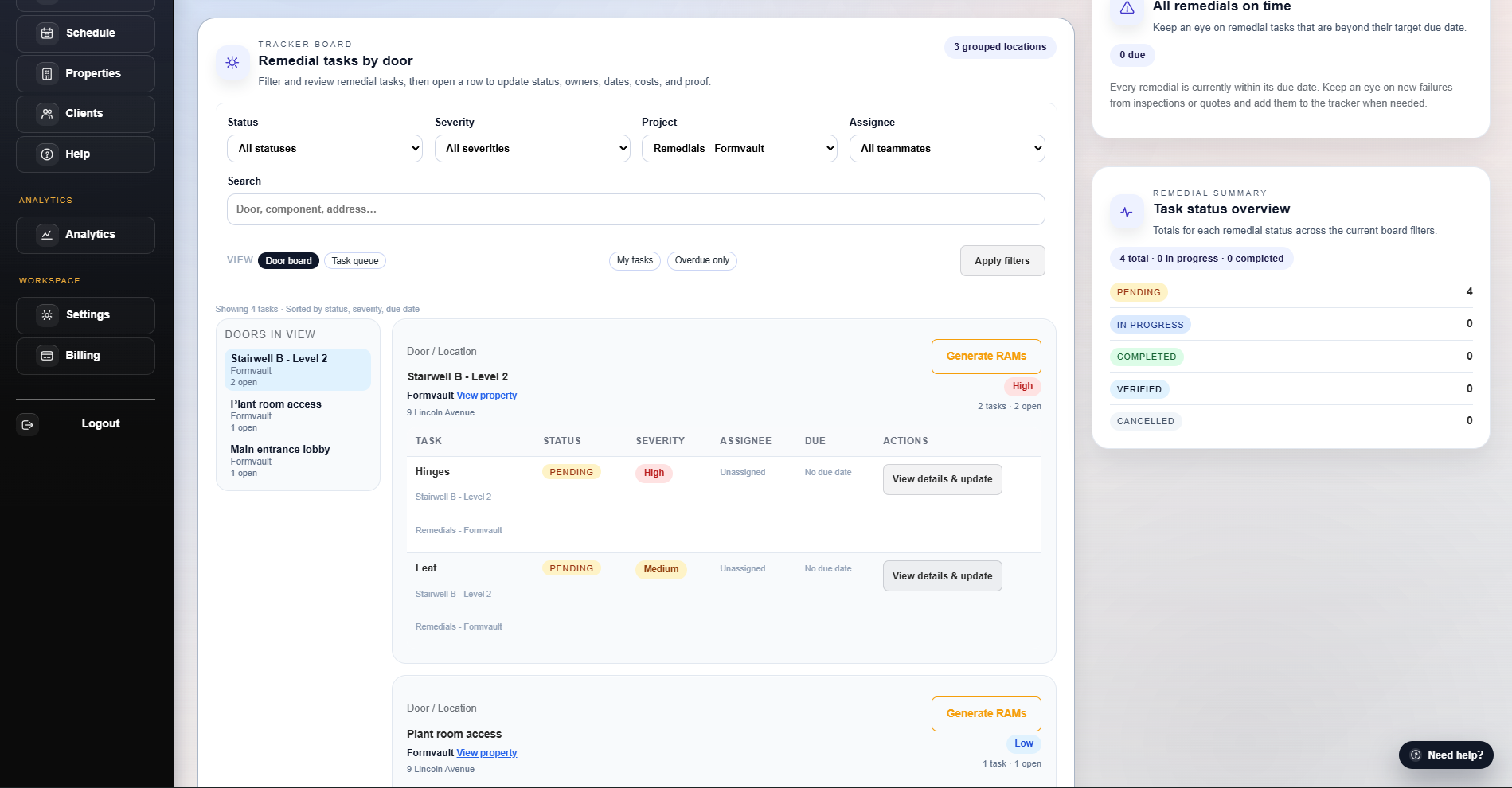
Push failing doors into the remedials tracker, group work into projects, and schedule installs from a single calendar.

  • Use the asset register to filter inspection doors, pick failures by severity, and send them into remedial projects.
  • Track every door’s remedial tasks and installs with clear status, risk, and links back to the original inspection.
  • Reduce chasing with automated reminders and in‑app notifications for follow‑ups, overdue actions, and re‑inspections.
  • Plan work with conflict handling and availability/load views so crews stay balanced and double‑booking is avoided.

See a full remedials and installs run‑through →
Why it matters: you can show exactly which doors were fixed, when, and by whom if regulators or clients ask.

Modules · Remedials & schedule

Failed doors → Projects → Calendar

FireDoor Suite remedials and installs schedule showing tasks, crews and status. Click to enlarge
Asset register Door‑level tasks Crew assignment Install status

Keep work visible from first fail to signed‑off remedial.

Professional documents from one source of truth

Generate inspection PDFs, RAMs, quotes, and invoices from the same data so everything you send to clients matches.

  • Create inspection reports straight from completed visits, with photos, fails, and remedials clearly grouped by door.
  • Generate RAMs and quote PDFs using structured templates that reflect your branding and pricing.
  • Produce invoices that preserve line items and totals from the originating quotes.

See a sample report (PDF)
See pricing for full access to documents →
Why it matters: you can hand over clean evidence packs for BS 8214 / BS 9999 checks without digging through folders.

Module · Documents

Reports, RAMs, quotes, invoices

FireDoor Suite documents area showing consistent inspection reports, quotes, RAMs and invoices. Click to enlarge
Inspection PDFs RAM templates Quote PDFs Invoice PDFs

Every document traces back to the same inspection and project data.

Client portal, invoices, and Stripe billing

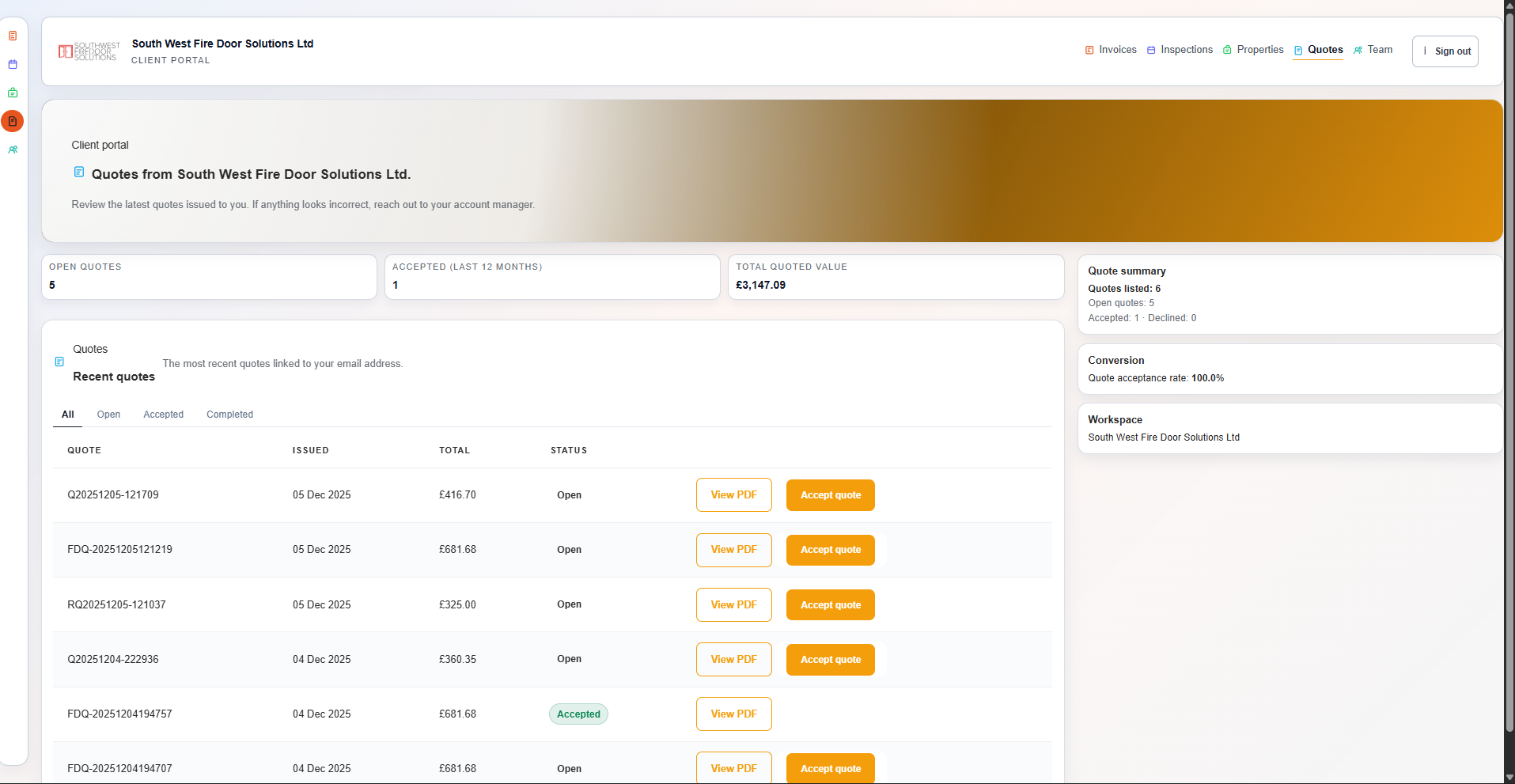
Give clients a secure portal for reports and invoices, add “Pay now” links via Stripe, and keep your own subscription under control.

  • Invite clients to a portal where they can see inspections, doors, quotes, invoices, and documents for their properties.
  • Publish compliance outputs (CSV/PDF) and let clients report issues via the portal so evidence and follow‑ups stay joined up.
  • Attach Stripe “Pay now” links to invoices so clients can pay online and you can track what is paid via Stripe vs offline.
  • Manage your own workspace subscription and seat counts through the built‑in billing pages powered by Stripe Billing.

See pricing for billing and client portal access →
Why it matters: you keep a clear revenue trail from inspections and remedials through to payment.

Module · Billing & portal

Client‑ready access and payments

FireDoor Suite client portal showing properties with reports, quotes and invoices. Click to enlarge
Client logins Pay now via Stripe Subscription billing PDF download

Clients self‑serve reports and invoices while you keep cashflow visible.

Analytics, workspace controls, and security

Understand how inspections, doors, remedials, and invoices are performing, and keep each customer’s data in its own workspace.

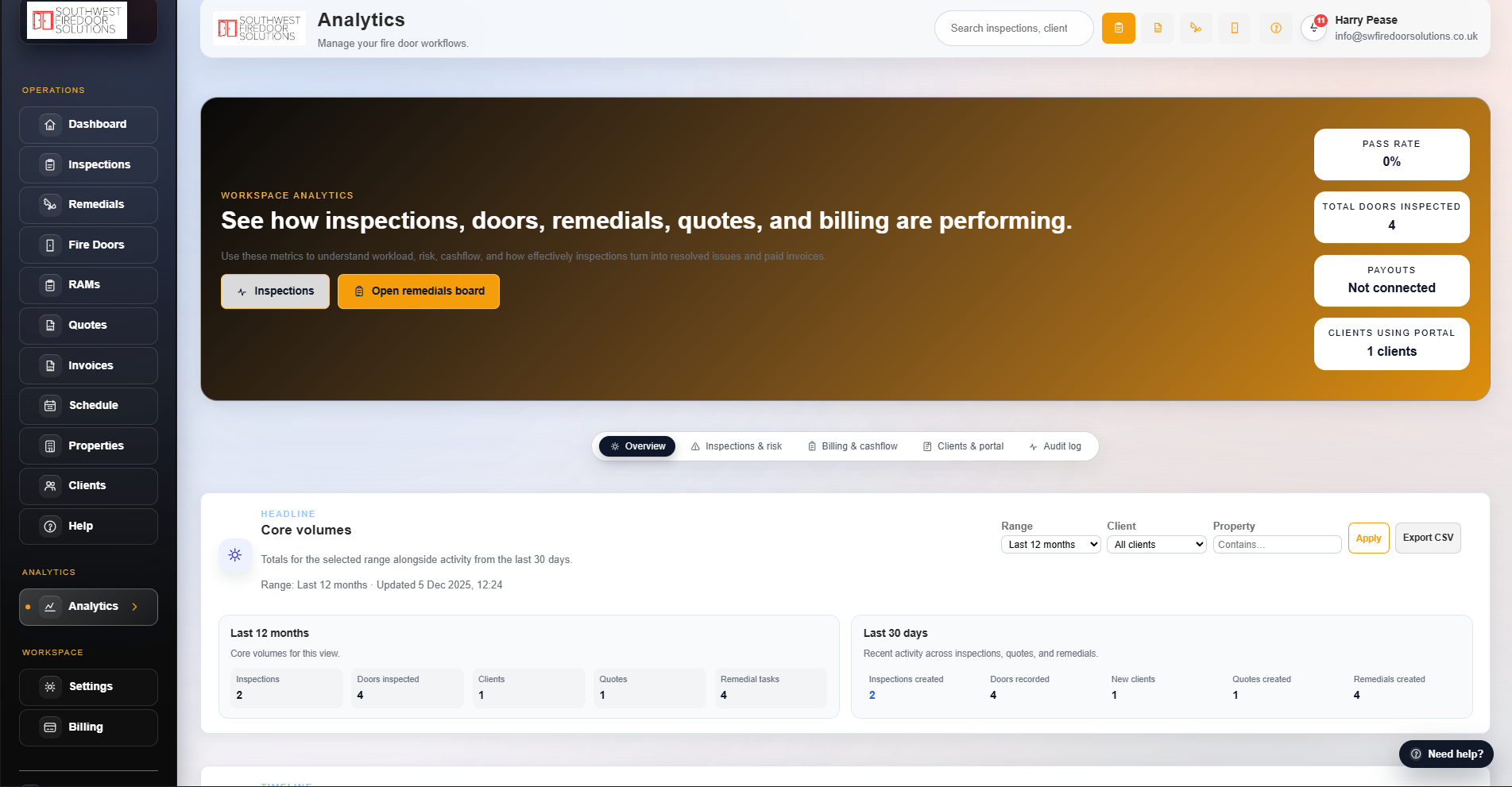
  • Spot high‑risk sites and doors. See volumes for inspections, doors, clients, quotes, remedial tasks, and invoices with simple trend views.
  • See where remedials are stuck. Track pass rates, risk levels, unresolved remedials, and revenue, including what flows through Stripe vs offline payments.
  • Protect tenant data and access. Configure roles, checklists, pricing, invoicing, Stripe Connect, and branding per workspace; use admin 2‑step verification for platform access.

Start free trial to see your own data →
Why it matters: you can spot compliance gaps and revenue trends across clients before they become problems.

Module · Analytics & workspace

Metrics that follow the full flow

FireDoor Suite analytics dashboard showing fire door inspections, remedials and revenue trends. Click to enlarge
Pass rate Doors inspected Remedial tasks Stripe vs offline

Tenant‑aware workspaces keep data isolated while giving you high‑level insight.

What this looks like in practice

FireDoor Suite joins inspections, the interactive fire door builder, remedials, scheduling, documents, billing, and analytics so you can run one real project end to end without spreadsheets. Here are a few typical before/after examples from teams moving off spreadsheets, paper forms, and shared drives.

Inspections and post‑visit admin

  • Before. Inspectors filled out paper forms or ad‑hoc spreadsheets, then spent hours renaming photos and matching them back to doors.
  • After. They log findings once on site; the door register, floorplan pins, photos, and fail reasons update automatically when they sync.

Remedials, projects, and schedule

  • Before. Remedial tasks lived in separate lists per client, making it hard to see which doors or buildings still had outstanding work.
  • After. Failed components flow into projects with clear status per door, so schedulers can plan visits and see exactly what is left to sign off.

Client reporting and billing

  • Before. Reports, RAMs, and invoices were emailed as attachments, with clients asking for re‑sends and finance teams reconciling separate records.
  • After. Clients log into a portal to download reports, quotes, and invoices in one place and pay via Stripe, while your team sees a joined‑up revenue trail.

Next: Explore the workflows tour →

From first visit to final invoice

FireDoor Suite keeps the same data flowing through inspections, fire door builder specs, quotes and RAMs, remedials, scheduling, the client portal, and billing.

Module 1

Inspect every fire door

Log doors, components, fail reasons, and photos in the inspections board, even when connectivity is patchy.

Module 2

Build quotes from findings

Generate fire door and remedial quotes directly from inspection data, using presets you control.

Module 3

Schedule remedials & installs

Turn accepted quotes into tasks, assign crews, and plan days in the shared schedule.

Module 4

Share reports & get paid

Publish reports and invoices to the client portal, then take payment via Stripe from a single place.

Try this on one real building

Use your trial to run a single building end‑to‑end through FireDoor Suite so your team can see the full workflow in practice.

  • Set up a workspace, add branding, and invite a small pilot team.
  • Run at least one full inspection → remedial quotes → remedials → invoices cycle with a real client.
  • Give that client portal access so they can download reports and pay invoices online.

Start free trial or Review pricing & seats →

Why it matters: your audit and revenue trail stays joined up from first visit through to final invoice.

FireDoor Suite runs in tenant‑aware workspaces with role‑based access, encrypted connections, and regular backups on UK/EU infrastructure so inspection data stays protected.